
GameDay Fees – Payment by Installments Overview
GameDay offers a flexible payment by instalments option, allowing members to spread the cost of their fees over several payments. This guide outlines the steps for participants to pay for orders using the instalments option during checkout on GameDay registration forms.
Please note:
- All instalment schedules are broken down in two-week intervals, beginning at the time of registration
- Once an instalment plan is active, members will be automatically charged on the scheduled dates
- Instalment breakdown is calculated by the total order amount, comprising all selected products and members included in the registration
Step-by-Step
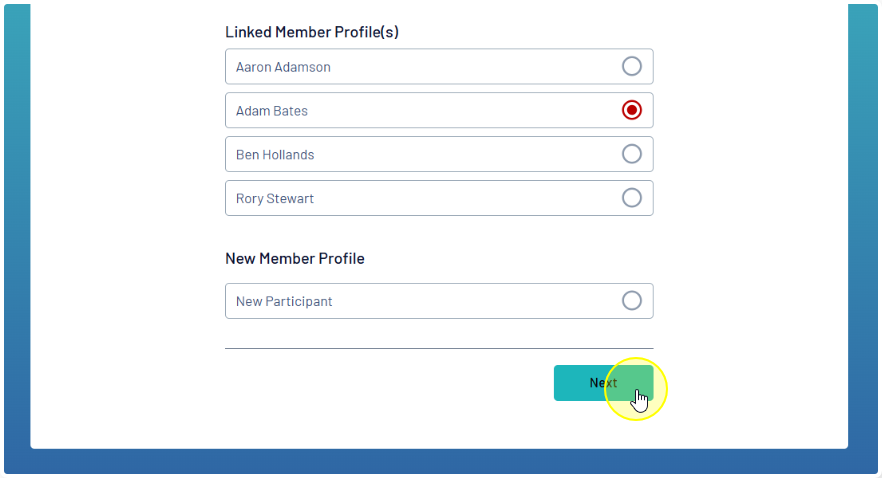
Step 1: Select your member profile
First, select which member you are registering, then click NEXT
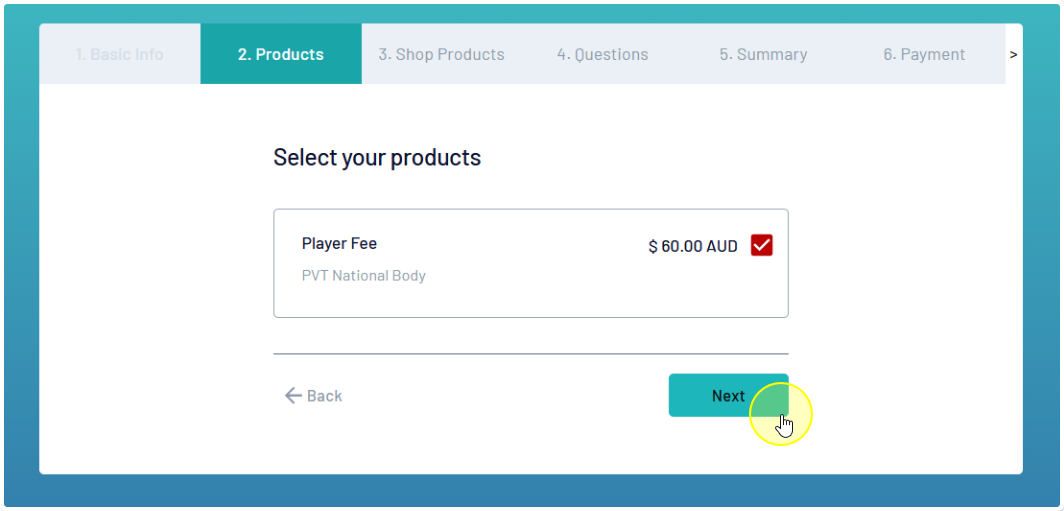
Step 2: Select your products
Select the desired Membership Product and click NEXT
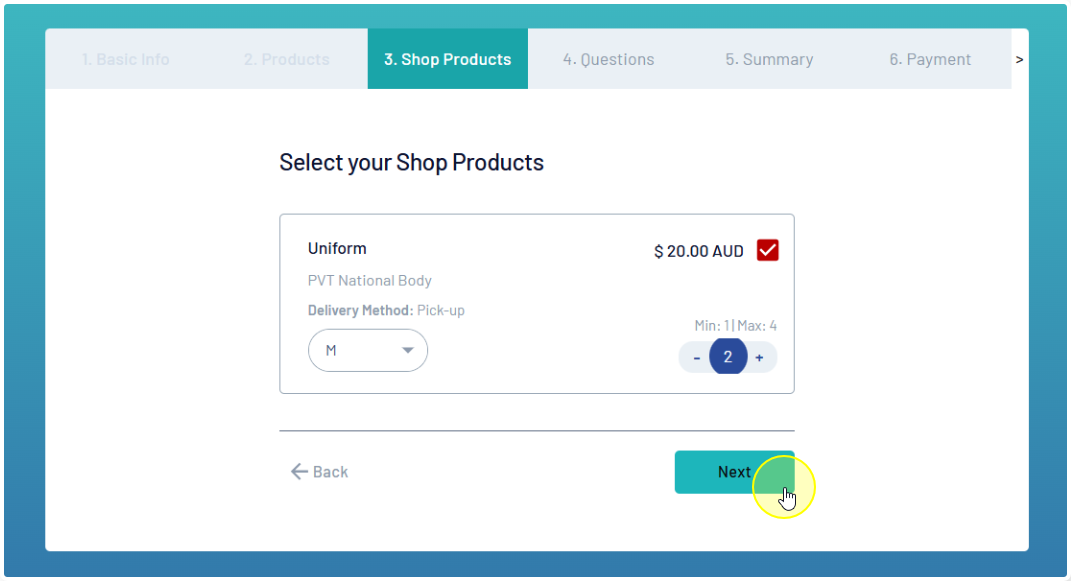
If the form offers Shop Products, you can add them to your cart on the next page. This may include selection of another attribute (such as Size or Colour) and a quantity selector
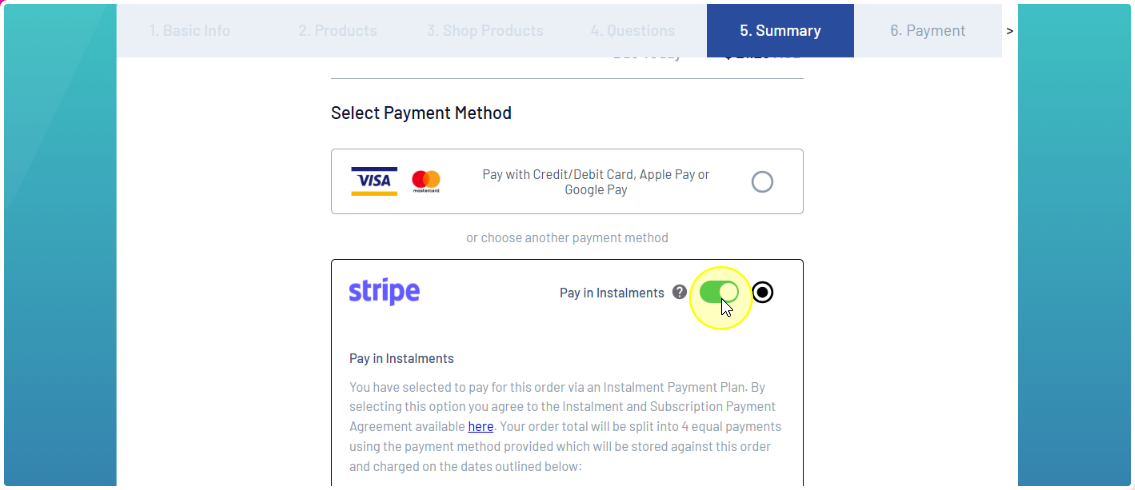
Step 3: Choose to pay by instalments
To pay for your order in instalment payments, choose the PAY IN INSTALMENTS option when you are selecting your payment method
Step 4: Review and pay
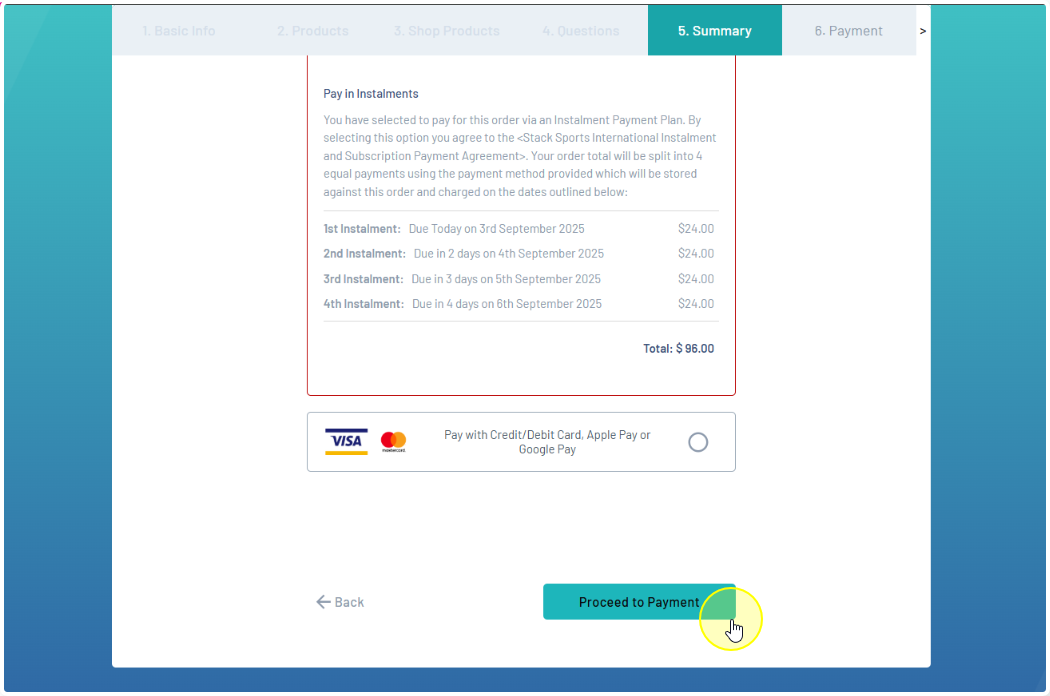
The schedule for your instalment payments will be displayed, including:
- The amount payable today
- The amounts payable on each instalment in the future
- The date of each future instalment payment
- The total payable after today’s payment
 Please note, the above schedule is designed for testing purposes only. Instalment schedules are always broken down in two-week intervals
If you’re happy to proceed, click PROCEED TO PAYMENT
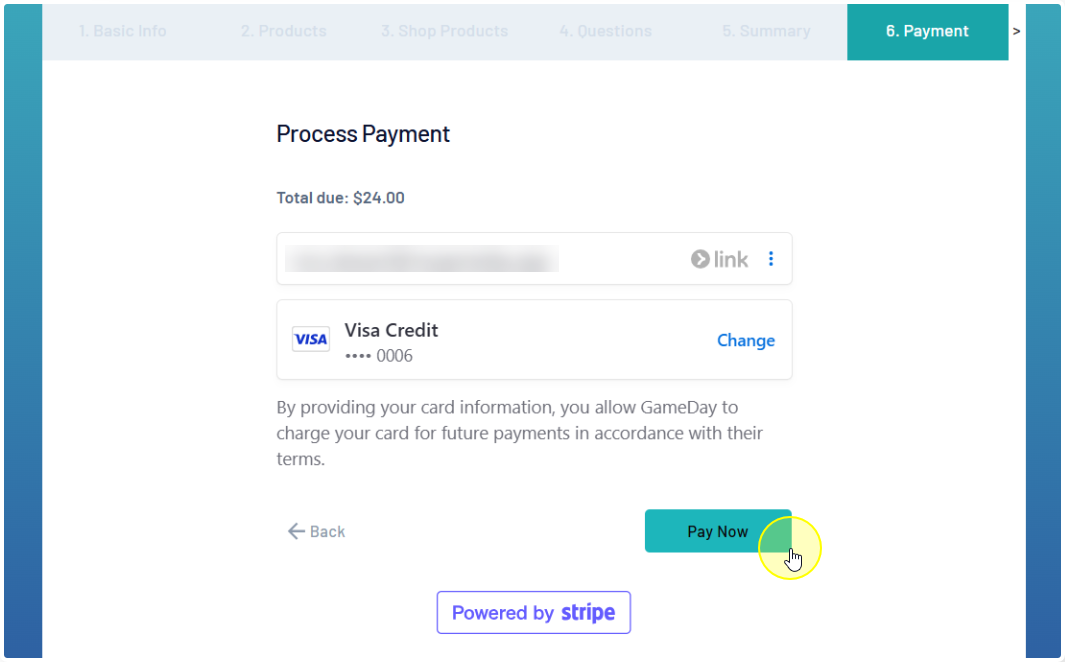
Then, select or enter your payment details and click PAY NOW
For full instructions on setting up and managing instalment payments through GameDay, follow the link below for a simple step-by-step guide.


